
Transforming AI Marketing Workflows With Local Agent Control
The transition toward localized artificial intelligence signifies a critical evolution in how digital content creators maintain the integrity and privacy of their professional workflows. Setting up a local agent environment represents a major shift in how marketers interact with large language models, moving away from high-cost, provider-dependent workflows toward efficient, self-contained systems. This guide provides a comprehensive walkthrough for deploying the Hermes Agent Desktop, an application designed to give you full authority over your marketing data and AI interactions.
The implementation of such a system ensures that sensitive campaign details and strategic maneuvers do not leave the local infrastructure unnecessarily. By following this setup process, you will learn how to install the runtime, configure a secure context store, and integrate diverse model providers. This exploration also covers the creation of reusable skills that allow the agent to internalize your brand voice and editorial guidelines without repetitive prompting.
The Shift Toward Local Context and Data Sovereignty
In the early stages of AI marketing, professionals were often tethered to cloud interfaces that managed data storage and context on the provider’s terms, frequently leading to redundant token consumption and privacy concerns. This reliance created a vulnerability where changes in third-party service agreements could jeopardize years of accumulated prompt engineering. Hermes addresses these issues by decoupling the brain from the memory, ensuring your campaign history and proprietary workflows remain on your hardware.
This architecture matters because it provides a foundation for technical independence; as models evolve or pricing structures change, your accumulated marketing intelligence remains intact and portable. Transitioning to a local agent desktop allows for a more granular level of control over how information is shared with external APIs, which is essential for maintaining brand security in a data-driven industry. The ability to swap back-end models while keeping the front-end context intact provides a significant competitive edge in a rapidly fluctuating market.
Step-by-Step Configuration of Your Hermes Marketing Environment
Step 1: Installing the Desktop Runtime and Interface
The first phase involves deploying the application across your preferred operating system to establish the base for your AI operations. This initial installation serves as the bridge between your local hardware resources and the advanced intelligence provided by modern language models.
Navigating Platform Compatibility for macOS, Windows, and Linux
Hermes is designed to be cross-platform, and the installer bundles both the visual interface and the underlying agent runtime, eliminating the need for complex command-line dependencies. Whether using a high-performance workstation or a portable laptop, the setup remains consistent and user-friendly for non-technical marketers.
Step 2: Selecting and Configuring Your Local Context Store
The context store is the repository for your conversation history, tool outputs, and embeddings, acting as the long-term memory of your AI agent. Proper configuration here ensures that the agent understands the nuances of past projects and current objectives without starting from zero in every session.
Choosing Between Personal Home Directories and Shared Team Drives
While the default home directory is ideal for solo marketers, selecting a synchronized cloud folder or network drive enables easier backups and team collaboration. Selecting a shared drive allows multiple team members to access a unified pool of knowledge, provided the agent is configured to look at the same directory.
Managing Data Privacy and Security in Your Storage Environment
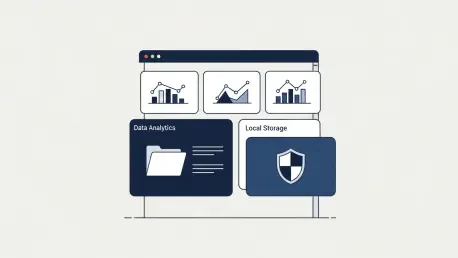
Since Hermes keeps your complete working history in local storage, you must ensure your chosen directory adheres to your organization’s data retention and security policies. Regular audits of these folders help prevent the accumulation of outdated data and ensure that local encryption protocols protect your strategic insights.
Step 3: Integrating LLM Providers and API Credentials
Hermes functions as a provider-agnostic bridge, allowing you to swap between different AI models without losing your operational context. This flexibility prevents platform lock-in and allows you to use the best model for specific marketing tasks, such as creative writing or data analysis.
Leveraging OpenRouter for Multi-Model Versatility
For those who wish to experiment with various models like Gemini, Claude, or LLaMA through a single interface, OpenRouter offers a unified API key setup. This approach simplifies billing and credential management, as one key provides access to an entire ecosystem of proprietary and open-source models.
Direct Integration With OpenAI, Anthropic, or Self-Hosted Models
If you prefer a direct connection to a specific provider or a locally hosted model, you can input dedicated credentials to maintain a low-latency connection. Direct integration is often preferred for high-volume tasks where speed and direct support from the model creator are paramount for campaign success.
Step 4: Building and Enabling Reusable Marketing Skills
Skills are the core of the Hermes experience, serving as reference documents that the agent consults to ensure consistency across campaigns. These assets act as a permanent guardrail, keeping the agent aligned with the specific requirements of your niche or brand identity.
Using the /learn Command to Automate Skill Creation
You can quickly transform brand voice guides or SOPs into structured skills by providing reference material directly within the chat interface. By utilizing the specific command provided, the agent processes the document and extracts key themes to build a persistent profile for future use.
Manual Skill Management via Markdown in the Filesystem
For more precise control, you can create Markdown files in the local skills folder, allowing for offline editing and version control of your marketing frameworks. This method is excellent for collaborative teams who use Git or other versioning systems to track changes in their marketing strategies over time.
Step 5: Launching Your First Marketing Campaign Task
With the model connected and skills enabled, you can begin executing complex marketing requests that draw upon your stored expertise. This represents the transition from configuration to actual production, where the theoretical setup starts delivering tangible value.
Drafting Email Campaigns With Skill-Aware Prompts
By instructing the agent to use a specific Brand Voice skill, you ensure that generated subject lines and copy align perfectly with your established identity. This reduces the time spent on manual editing and ensures that even rapid-fire content creation stays true to the core messaging of the business.
Verifying Locally Stored Conversation History and Tool Outputs
After running a task, you can inspect your context store folder to see how the agent has logged the interaction, confirming that your data remains accessible and private. Checking these logs provides transparency into how the AI arrived at its conclusions and ensures that the local memory is growing as expected.
Checklist for a Successful Hermes Desktop Setup
A successful installation requires moving through several key milestones to ensure the system functions at peak efficiency. First, you must download and run the platform-specific installer from the official website to secure the runtime. Next, designate a secure folder for your context store and skills library, ensuring the path is correctly mapped in the application settings.
Following the storage setup, input a valid API key from OpenRouter, OpenAI, or a preferred local model provider to establish connectivity. Create at least one initial skill using the learn command or by placing a Markdown file in the skills folder. Finally, run a test prompt and check the local filesystem to verify that the conversation history is being recorded correctly in your context store.
Future-Proofing Marketing Operations Through Modular AI Architecture
The transition to a desktop agent is just the beginning of a larger trend toward sovereign AI where the user, not the provider, owns the workflow. As marketing tasks become more complex, involving web searching, CSV analysis, and multi-step Python execution, the ability to maintain a consistent local context will become a significant competitive advantage. This approach allows for a more agile response to market changes without the friction of constant re-training.
Looking ahead, the skills and context stores built within the desktop application can be scaled into larger enterprise environments, such as Docker containers or remote API servers. This modularity allows marketing teams to start small and expand their AI capabilities as their needs grow, all while avoiding the black box limitations of traditional SaaS AI platforms. The transition toward modularity ensures that the tools used today will remain relevant as the underlying technology continues to mature.
Empowering Your Marketing Strategy With Sovereign AI
The successful deployment of the Hermes Agent Desktop provided a robust framework for managing AI-driven marketing with precision and privacy. This transition allowed for a reduction in long-term operational costs while increasing the consistency of the brand output. By taking control of the context and building a library of reusable skills, professionals secured their workflows against the volatility of external platform changes.
The foundation established during this process enabled teams to experiment with advanced tools like web search and data analysis with greater confidence. These initial steps ensured that the marketing operations remained agile and ready for the next generation of developmental shifts. Ultimately, the move toward a local, sovereign environment proved to be a vital step in maintaining strategic independence in an increasingly automated world.