
The vast, unspoken universe of dialogue, narration, and commentary locked within your video’s audio track represents one of the most significant and underutilized assets for channel growth and discoverability. While creators meticulously craft visuals and optimize titles, the very words that give a video its substance often remain invisible to the search engines that dictate online visibility. This guide illuminates how converting that spoken content into readable text through transcripts can fundamentally transform your video’s performance, making it more accessible to viewers and more intelligible to the algorithms that connect content with audiences. By bridging the gap between sound and text, you unlock a powerful lever for enhancing search engine optimization, broadening your reach, and creating a more inclusive viewing experience for everyone.
Unlocking Your Channel’s Potential More Than Just Words
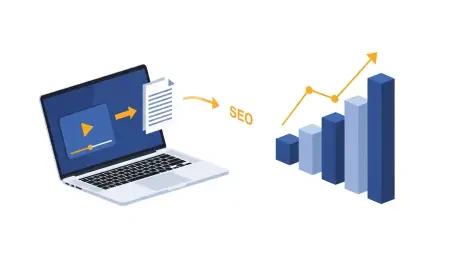
The true power of a video transcript lies in its dual functionality; it simultaneously serves the needs of human viewers and the demands of search engine algorithms. For your audience, a transcript provides an alternative way to consume content, breaking down barriers for those with hearing impairments or language differences. For search engines, it translates the rich, nuanced dialogue of your video into a fully indexable text document, offering a deep well of keywords and context that a simple title and description could never provide. This synergy creates a more robust and discoverable digital asset from a single piece of content.
To understand the impact of transcripts, it is essential to recognize how search engines like Google and YouTube operate. Their crawlers are fundamentally text-based, designed to read and interpret written words to categorize and rank content. A video file, without accompanying text data, is largely opaque to these systems. They can analyze metadata like the title, tags, and description, but the core content—the spoken words—remains inaccessible. A transcript effectively tears down this wall, allowing crawlers to “read” your entire video, understand its subject matter comprehensively, and match it with a far wider range of relevant user queries.
This direct line of communication with search engines initiates a powerful cycle of growth. Enhanced SEO from a detailed transcript leads to better discoverability and a higher ranking in search results, which in turn drives more organic traffic to your channel. This wider audience includes viewers who specifically benefit from accessible content, leading to higher engagement rates and longer watch times. Ultimately, these positive user signals reinforce the video’s value to the YouTube algorithm, further boosting its visibility and solidifying its position as a valuable resource, proving that transcripts are a cornerstone of improved viewer retention and sustained channel growth.
Why Search Engines and Viewers Love Transcripts
From a technical standpoint, a video is a complex digital container that poses a significant challenge for search engines. While algorithms are becoming more sophisticated at analyzing visual frames, their primary language remains text. Without a text-based companion, the core informational value of a video—the dialogue, the explanations, the narrative—is effectively locked away from the very systems designed to help users find it. This limitation means that creators who neglect transcripts are unintentionally hiding their content from a massive portion of potential search traffic, relying solely on limited metadata to convey the video’s depth.
A video transcript remedies this by providing a complete, verbatim text version of all the audio content within a video. It is a simple yet profound tool: a document that contains every spoken word, from the main narration to incidental dialogue. This makes it distinct from captions, which are timed text segments designed for on-screen display, though a transcript is often the source file from which captions are generated. By creating this text-based blueprint of your audio, you provide a clear, unambiguous roadmap for both search engines and users to follow, ensuring no part of your message is lost.
This text-based representation is a goldmine for search engine optimization. Search crawlers can index every single word, allowing them to understand the video’s subject matter with unparalleled depth and nuance. This process uncovers countless long-tail keywords—the specific, multi-word phrases that users search for—that would be impractical or impossible to stuff into a video description. Consequently, your video can rank for highly specific queries that precisely match its content, attracting a more targeted and engaged audience. For viewers, the benefits are equally compelling. Transcripts are the bedrock of accessibility, making content available to the deaf and hard-of-hearing community. They also serve as an invaluable learning aid for non-native speakers, who can read along to reinforce their understanding and catch words they might have missed.
Furthermore, transcripts dramatically improve the overall user experience. In an age of mobile consumption, many viewers watch videos in environments where audio is not an option, such as on public transit or in a quiet office. Transcripts allow for silent viewing without any loss of information. They also empower users by making the content scannable; a viewer can quickly search the text for a specific piece of information or quote instead of scrubbing through the timeline. This enhanced control increases viewer satisfaction and engagement, which often translates into longer watch times—a key metric that the YouTube algorithm uses to evaluate and promote content.
A Practical Guide to Adding Transcripts to Your Videos
Step 1: Choosing Your Transcription Method
The Quick Start : YouTube’s Automated Captions
For creators looking for an immediate and cost-free solution, YouTube’s native automated captioning system is an excellent starting point. This feature utilizes sophisticated speech recognition technology to listen to your video’s audio track and generate a text transcript automatically. The process is seamlessly integrated into the YouTube Studio dashboard, requiring just a few clicks to activate after your video has been processed. It serves as a foundational layer of accessibility and SEO, providing a baseline of text that search engines can begin to index right away. This method is particularly useful for channels with a large back catalog of videos, as it enables creators to quickly add basic transcripts to dozens of videos without any financial investment.
However, the convenience of automation comes with a significant caveat: accuracy is not guaranteed. Automated systems often struggle with proper nouns, technical jargon, strong accents, or situations with multiple speakers or background noise. This can lead to glaring and sometimes comical errors in spelling, grammar, and punctuation, which can detract from the professionalism of your content and confuse viewers. Therefore, it is absolutely critical to treat the auto-generated file not as a final product but as a first draft. Creators must commit to manually reviewing and editing these captions, correcting any mistakes to ensure the text accurately reflects the spoken words and provides a clear, professional experience for the audience.
The Professional Polish: Using Third-Party Services
When precision and professionalism are paramount, leveraging a third-party transcription service offers a significant step up in quality. Companies like Rev and Scribblr.ai specialize in providing high-accuracy transcripts, often created or reviewed by human transcriptionists. This human element ensures that the nuances of speech, industry-specific terminology, and complex dialogue are captured correctly, resulting in a polished and reliable text document. The process is straightforward: you simply upload your video file or provide a link, and the service delivers a completed transcript file, typically within a short timeframe. While this is a paid option, the investment often pays for itself through improved user experience and stronger SEO signals.
These professional services provide more than just accurate text. They often include valuable features like precise timestamps and speaker identification, which are indispensable for videos with interviews, panel discussions, or complex narratives. Timestamps allow the transcript to be easily converted into perfectly synchronized captions, enhancing the viewing experience. Speaker labels clarify who is speaking at any given moment, preventing confusion and making the content easier to follow. For content creators whose brand is built on authority and clarity, the professional polish offered by these services is a worthwhile investment that reinforces quality and accessibility.
The DIY Approach: Manual Transcription for Maximum Control
For creators who demand absolute perfection or are operating on a strict budget, transcribing a video manually provides the ultimate level of control. This do-it-yourself approach involves playing the video and typing out the spoken dialogue word for word. While it is the most time-consuming of the three methods, it guarantees that the final transcript is 100% accurate and perfectly aligned with the creator’s intent. This can be especially important for scripted content, educational videos, or any material where precise wording is crucial to the message. Using a simple text editor or specialized transcription software, you can pause, rewind, and type at your own pace.
This method is ideally suited for shorter videos, typically those under 10 to 15 minutes, where the time commitment remains manageable. It is also an excellent option for creators who are just starting out and have more time than financial resources to invest in their channel. The process of manual transcription also forces a creator to listen to their own content with a critical ear, which can reveal pacing issues, filler words, or areas for improvement in future recordings. By taking the time to transcribe manually, you not only create a flawless asset for SEO and accessibility but also gain deeper insights into your own content creation style.
Step 2: The Upload and Refinement Process in YouTube Studio
Navigating to the Subtitles Section
Once your transcript is ready, the next step is to add it to your video within the YouTube Studio environment. The interface is designed to make this process intuitive. First, log in to your YouTube account and navigate to the YouTube Studio dashboard. From the main menu on the left-hand side of the screen, select the “Content” tab to view a list of all your uploaded videos. Locate the specific video you wish to update and click on its title or thumbnail to open the video details page. In the left-hand navigation pane for that video, you will find a “Subtitles” option; clicking this will take you to the central hub for managing all caption and transcript files associated with that video.
This section is where you control the linguistic accessibility of your content. If YouTube has already generated automated captions for your video, you will see them listed here. To add your own, you will typically click the “Add Language” button and select the language of your transcript. This action creates a new entry in the language list. Next to your chosen language, you will see an “Add” link under the “Subtitles” column. Clicking this link is the final step to initiate the upload process, opening the interface where you will provide your prepared transcript file.
Uploading and Syncing Your Transcript File
After clicking “Add,” YouTube will present you with several options for adding your subtitles. The most common and effective method is “Upload file.” Here, you will be prompted to specify whether your file contains timing information. A file “with timing,” such as a .srt file, includes timestamps that tell YouTube exactly when each line of text should appear on the screen. A file “without timing,” such as a plain .txt file, contains only the raw dialogue. If you upload a file without timing, YouTube will use its speech recognition technology to automatically sync the text with your video’s audio, which you can then refine manually.
Choosing the “Upload file” option will open a file browser, allowing you to select the transcript document from your computer. Once the file is selected and uploaded, YouTube will process it and populate the caption editor with your text. If you uploaded a file with timing, the text will already be broken down into synchronized caption blocks along the video timeline. If you uploaded a text file without timing, the full block of text will appear, and you can use YouTube’s “Assign Timings” feature to automatically create the sync points, or you can manually set the timings yourself for greater precision.
Crucial Final Touches: Editing for Accuracy and Readability
Uploading the file is not the final step; a thorough review is essential to guarantee a high-quality experience. Whether you started with an automated transcript or uploaded your own file, it is crucial to play the video and read along with the captions in the YouTube editor. During this final pass, check for any lingering spelling or grammatical errors that may have been missed. Ensure that the punctuation is correct and that the text accurately reflects the spoken words. This is your last chance to catch any mistakes before the captions go live for your audience.
Beyond correcting errors, this stage is also about optimizing for readability. Long, unbroken blocks of text can be difficult for viewers to follow on screen. Use the editor to break up lengthy sentences and paragraphs into smaller, more digestible chunks that align with the natural pauses in speech. A well-formatted set of captions enhances comprehension and makes the viewing experience more pleasant. Once you are fully satisfied with the accuracy, timing, and formatting, click the “Publish” or “Save” button to make your new, polished captions available to all viewers.
Step 3: Overcoming Common Hurdles
Troubleshooting: Fixing Sync and Timing Issues
One of the most frequent challenges creators face when adding captions is text falling out of sync with the video’s audio. This can happen if the timestamps in an uploaded file are inaccurate or if YouTube’s automatic timing assignment misinterprets the speech patterns. The result is a jarring experience for the viewer, where they are reading words long before or after they are spoken. To fix this, use YouTube Studio’s built-in subtitle editor. This interface displays your caption blocks visually along the video timeline, allowing you to drag the edges of each block to adjust its start and end times.
For precise adjustments, you can play the video and pause it exactly where a line of dialogue begins, then manually input that timestamp into the corresponding caption box. While this can be a meticulous process, taking the time to ensure the captions appear in perfect harmony with the audio is critical for professionalism and viewer comprehension. A well-timed set of captions should feel seamless, appearing and disappearing naturally as the speaker talks, rather than serving as a distraction.
Best Practices: Formatting for a Seamless Viewer Experience
Effective captioning goes beyond mere accuracy; it involves strategic formatting to enhance readability and ensure a smooth viewing experience. Avoid creating massive blocks of text that fill the screen and overwhelm the viewer. A good rule of thumb is to limit captions to one or two lines at a time, breaking sentences at natural linguistic pauses. This makes the text easier to read quickly without distracting from the video’s visuals. Proper punctuation is also essential. Using commas, periods, and question marks correctly helps convey the intended tone and pacing of the speaker.
Furthermore, consistency is key. Establish a formatting style and stick to it throughout the video and across your channel. This includes how you indicate different speakers (e.g., using a hyphen or a name in brackets) and how you describe important non-speech sounds (e.g., [music playing] or [door slams]). By thoughtfully formatting your transcript, you transform it from a simple block of text into a helpful and unobtrusive tool that complements the viewing experience, making your content more accessible and enjoyable for a wider audience.
Your YouTube Transcript: SEO Checklist
The process of leveraging transcripts for SEO can be distilled into a clear, actionable checklist. First and foremost, you must generate a complete transcript for your video. This initial step requires choosing the method that best fits your resources and accuracy needs, whether it is utilizing YouTube’s free automated captions as a starting point, investing in a professional third-party service for a polished result, or manually transcribing the content yourself for maximum control.
Once the initial text is generated, the second critical step is to review and edit it with meticulous care. This is a non-negotiable part of the workflow, as errors in an automated transcript can create a poor user experience and send confusing signals to search engines. Correct all spelling, grammar, and punctuation mistakes to ensure the text is a professional and accurate representation of your audio content. Following the edit, format the text for readability. This involves breaking long paragraphs into shorter, more digestible sentences and ensuring the overall structure is clear and easy for a viewer to follow on-screen.
With a clean and formatted transcript in hand, the next phase is implementation. Upload the final document to the appropriate video in YouTube Studio, adding it as a subtitle or caption file. Whether you are uploading a file with pre-set timing or using YouTube’s tools to sync it, this action is what makes the text accessible to both viewers and search engine crawlers. The final step is to publish the changes and then verify that the captions are active and correctly synced on the live video. Regularly following this five-step checklist integrates transcription into your production process, ensuring every video is optimized for discovery and accessibility.
Beyond SEO: The Role of Transcripts in a Modern Content Strategy
While the SEO benefits are significant, the value of a transcript extends far beyond search engine rankings, positioning it as a cornerstone of a modern and efficient content strategy. A complete, accurate transcript is a versatile asset that enables effortless content repurposing. The text from a single video can be transformed into a multitude of other content formats. It can be adapted into a detailed blog post, expanding on the video’s topics and embedding the video itself for a multimedia experience. Key quotes and powerful statements can be extracted and designed into graphics for social media platforms like Instagram or LinkedIn, driving traffic back to your channel. The entire transcript can even serve as the foundation for an email newsletter or a downloadable PDF guide. This approach maximizes the return on investment for each video produced, allowing you to reach different audience segments on various platforms with minimal additional effort.
In addition, the consistent use of transcripts sends a powerful message about brand values and inclusivity. As audiences become more socially conscious, accessibility is no longer a niche consideration but a standard expectation for reputable brands and creators. By proactively providing transcripts and captions, you demonstrate a commitment to making your content available to everyone, including the millions of individuals in the deaf and hard-of-hearing communities. This inclusive practice not only broadens your potential audience but also builds goodwill and strengthens your brand’s reputation as one that is thoughtful and considerate of all its viewers.
Looking toward the immediate future, the strategic importance of transcription is only set to grow. As artificial intelligence and machine learning technologies continue to advance, the accuracy and speed of automated transcription tools will improve exponentially. This evolution will lower the barrier to entry even further, making it easier and more cost-effective for creators at all levels to implement a transcription-first workflow at scale. Integrating this practice into your content strategy now positions your channel ahead of the curve, establishing a foundation of accessible, repurposable, and highly searchable content that will pay dividends for years to come.
Transform Your Reach: Your Next Steps to a More Accessible Channel
It was concluded that adding transcripts is a remarkably low-effort, high-impact strategy for any creator seeking to improve their YouTube performance. The benefits were not just theoretical; they translated directly into tangible metrics like increased search visibility, broader audience reach, and higher viewer engagement. By making content accessible to search engines and a wider range of viewers, transcripts served as a powerful catalyst for channel growth.
The key takeaway was that transcripts should not be treated as an afterthought or an optional extra. Instead, they deserved to be fully integrated into the core video production workflow, considered as essential as a video’s title or thumbnail. By planning for transcription from the beginning, creators could ensure that every piece of content they published was fully optimized for both accessibility and discoverability from day one.
The final advice was to take immediate, decisive action. Creators were encouraged to audit their existing library of videos, identify their top-performing content, and prioritize adding accurate, well-formatted transcripts to them today. This simple act could breathe new life into older videos and amplify the reach of new ones, leading to a measurable and meaningful difference in channel performance and community engagement.