The visual language of online content is constantly evolving, demanding that creators find ever more engaging ways to capture their audience’s attention not just in videos, but across every aspect of their channel’s presence. Recognizing this need for dynamic and accessible creative tools, YouTube has introduced a powerful generative artificial intelligence feature directly into its platform, giving creators the ability to transform their ideas into compelling visuals with unprecedented ease. This guide will walk you through every aspect of this new AI image editor, from its strategic context and core capabilities to a detailed step-by-step process for using it to enhance your community engagement. By following this guide, creators can master this tool to produce professional-quality images that resonate with their audience, all without leaving the YouTube app.
A New Creative Canvas: YouTube Unveils AI Powered Image Editing for Posts
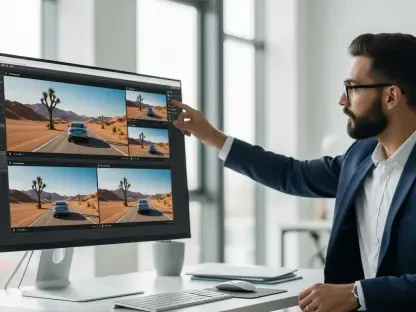
YouTube has officially announced the integration of its “Nano Banana” AI image editor into the Posts feature, a move that places sophisticated generative AI technology directly into the hands of its creator community. This development is significant, as it eliminates the need for external software or specialized design skills to produce eye-catching visuals for community updates, polls, and announcements. The editor is designed to be intuitive, allowing creators to modify their images simply by typing text prompts in natural language. Whether a creator wants to swap a background, remove an unwanted object, or completely reimagine an image’s aesthetic, the tool is built to interpret and execute these commands seamlessly within the familiar post-creation workflow.
The initial rollout of this feature is targeted, available to creators aged 18 and older in the United States, Canada, India, and New Zealand, with prompts currently functional only in English. However, this focused launch is part of a broader strategy to gather feedback before a wider expansion to more regions and languages is considered. The core purpose of this tool is to empower creators, offering them a new layer of creative freedom to enhance their visual storytelling. By integrating this technology directly into the platform, YouTube is not only simplifying the content creation process but is also fostering a more visually rich and interactive environment for community engagement, allowing creators to ideate and publish captivating images faster than ever before.
The Road to Creator Controlled AI: Context and Evolution
This new feature represents a deliberate and strategic shift in YouTube’s approach to artificial intelligence. In the past, the platform faced criticism for experiments involving non-consensual, platform-driven AI modifications to creator videos, which raised concerns about creative autonomy. The introduction of Nano Banana marks a pivot toward creator-centric tools, where the AI serves as an opt-in assistant rather than an automatic processor. This model ensures that creators retain full control over their content, deciding when and how to use AI to achieve their specific artistic vision. This distinction is crucial for building trust and encouraging adoption within a community that values its creative independence.
The technological underpinning of this editor is Google’s powerful Gemini 2.5 Flash model, a versatile AI that has already been successfully integrated across other major Google products, including Search and the Gemini application. Its implementation in YouTube Posts benefits from the model’s proven ability to handle complex image generation and modification tasks, which has resulted in the creation of over five billion images across Google’s ecosystem. This launch is also the next logical step in the evolution of the Posts feature itself. What began as the “Community” tab has steadily grown into a robust engagement tool, recently expanding to desktop to better serve professional workflows. The addition of an AI image editor builds upon this foundation, enhancing the feature’s utility and solidifying its role as a central hub for creator-audience interaction.
How to Use YouTube’s AI Image Editor: A Step by Step Guide
Step 1: Initiating an AI Edit Within Your Post
Getting started with the AI image editor is designed to be an intuitive part of your existing content creation process. The entire journey begins within the YouTube mobile application, where the Posts feature is most frequently accessed. To initiate an edit, a creator first navigates to the “Create” button, typically found at the bottom of the app’s interface, and selects the “Post” option. From there, the standard workflow for creating a text or image-based post commences.
After drafting any accompanying text for the post, the creator proceeds to add an image from their device’s gallery. Once the image is selected and appears in the post preview, a new option will be visible: an “Edit” button featuring an icon indicative of AI assistance. Tapping this button launches the Nano Banana editing interface, transitioning the creator from the standard post composer to a dedicated creative canvas where they can begin transforming their selected photograph using the power of generative AI.
Tip: Confirm Your Eligibility
Before attempting to access the feature, it is essential to confirm that your channel and location meet the initial rollout requirements. At present, the Nano Banana image editor is available exclusively to creators who are 18 years of age or older. Furthermore, access is geographically restricted to creators located in the United States, Canada, India, and New Zealand. If you meet the age requirement but are outside these regions, the AI “Edit” button will not appear in your post creation workflow. YouTube has indicated plans for future expansion, so creators in other markets should monitor official announcements for updates on availability.
Insight: Mobile First Rollout
The decision to launch the AI image editor exclusively on the YouTube mobile app reflects a deep understanding of creator behavior. The Posts feature is predominantly used for on-the-go community engagement, quick updates, and sharing behind-the-scenes content, activities that are most commonly performed on a mobile device. By prioritizing a mobile-first rollout, YouTube aligns the tool’s availability with the primary workflow of its target users. This strategy ensures that the feature is immediately useful and accessible in the context where creators are most likely to need it, fostering a smoother adoption process before a potential expansion to the desktop interface is considered.
Step 2: Crafting Prompts to Transform Your Image
Once inside the Nano Banana editor, the creative process is driven entirely by natural language. The interface presents a simple text prompt box where you can describe the changes you wish to see in your image. This step is where imagination meets execution. The system is capable of handling a wide array of requests, which can be broadly categorized into imaginative, corrective, and aesthetic modifications. For instance, a creator could use an imaginative prompt to transport themselves to a new location, a corrective one to remove a distracting object, or an aesthetic one to alter the overall style of the photo to better match their channel’s branding.
The effectiveness of the AI depends heavily on the clarity and detail of the instructions provided. Vague commands may produce unexpected results, while specific prompts yield more precise transformations. The process is conversational; the AI generates a draft based on the initial prompt, which then serves as a new starting point. This interactive loop allows for a high degree of refinement, enabling creators to fine-tune the image until it perfectly aligns with their creative intent before finalizing the edit.
Best Practice: Be Specific for Better Results
To achieve the best possible outcomes with the AI editor, specificity is key. The model interprets language literally, so providing clear and descriptive instructions will guide it more effectively. Instead of a general prompt like “make the background better,” a more detailed command such as, “Change the background to a futuristic city at sunset with neon lights,” will produce a far more targeted and compelling result. YouTube’s own examples highlight this principle, suggesting prompts like, “Remove the person in the background,” or, “Renovate my room in a minimalist Scandinavian style.” By detailing the subject, the desired action, and the specific style or elements involved, creators can minimize ambiguity and increase the likelihood of generating an image that meets their expectations on the first try.
Tip: Iterate Until It’s Perfect
One of the most powerful aspects of the Nano Banana editor is that the first draft is not the final word. The tool is built for iteration, encouraging a back-and-forth process until the creator is completely satisfied. If the initial result is not quite right, you can simply provide a new prompt to modify the generated image further. For example, if the AI adds a futuristic city but the color palette is wrong, a follow-up prompt could be, “Make the neon lights more pink and purple.” Alternatively, you can request entirely new drafts based on the original prompt or a revised one. This ability to continuously refine and regenerate empowers creators to experiment freely, explore different creative avenues, and maintain full artistic control over the final product.
Step 3: Finalizing and Publishing with AI Transparency
After iterating on the prompts and achieving the desired visual transformation, the final steps are straightforward and seamlessly integrated into the publishing workflow. Once the creator is satisfied with the AI-generated image, they simply save the edit. This action closes the Nano Banana interface and returns them to the standard post composer, where the newly modified image now appears, ready to be published. The creator can then add any final touches to the accompanying text, configure poll or quiz options if applicable, and publish the post to their channel’s feed for their audience to see.
A crucial element of this final step is the automatic application of a disclosure label. As soon as an image edited with the Nano Banana tool is saved, YouTube’s system automatically attaches a label indicating that the content is AI-generated. This measure is designed to ensure complete transparency with the audience, making it clear that the image has been synthetically altered. The process is entirely automated, requiring no action from the creator and ensuring that the platform’s disclosure policies are consistently applied to all content created with this new tool.
Understanding the Mandate: Why Your Post is Labeled
The automatic AI disclosure label is not a feature specific to the image editor but is a direct extension of YouTube’s comprehensive platform-wide policy on AI-generated content. Implemented earlier in 2025, this policy requires creators to disclose when their content, particularly if it appears realistic, has been synthetically created or altered. The mandate is rooted in a commitment to maintaining audience trust and preventing misinformation. By clearly labeling AI-modified images within Posts, YouTube ensures that viewers can distinguish between authentic photography and creatively generated visuals. This transparency helps manage audience expectations and upholds the platform’s integrity in an era of increasingly sophisticated digital manipulation.
Warning: The AI Label is Not Optional
It is critical for creators to understand that the AI disclosure label applied to images edited with Nano Banana is a mandatory and non-removable feature. Unlike other settings that can be toggled on or off, this label is hard-coded into the output of the tool. There is no option to opt out of the disclosure or manually remove it before publishing. This strict enforcement ensures uniform compliance with YouTube’s transparency policies. Creators, especially those producing sponsored content, must factor this non-negotiable labeling into their creative and strategic planning, as it will be a visible component of any post that utilizes this powerful new editing capability.
Key Takeaways: Nano Banana’s Core Features Summarized
The introduction of the Nano Banana AI image editor brings several transformative features to the YouTube Posts ecosystem, fundamentally altering how creators can approach visual communication. At its core is text-prompt editing, a powerful capability that allows anyone to add, remove, or completely alter elements within a photograph using simple, written commands. This feature democratizes photo editing, making complex manipulations accessible without requiring technical expertise. It empowers creators to bring their most imaginative ideas to life, whether by placing themselves in a new environment or by subtly refining an existing image to perfection.
This tool is also defined by its commitment to creator-centric control, a direct response to feedback from the creative community. Unlike previous platform-level AI experiments that applied changes automatically, Nano Banana is entirely opt-in, ensuring creators have full authority over the editing process. This control is facilitated by its seamless workflow integration, as the editor is built directly into the familiar Post creation interface on the YouTube mobile app, eliminating friction and making it a natural extension of the content creation process. Crucially, this creative freedom is balanced with built-in transparency. Every image modified with the tool is automatically labeled as AI-generated, a measure that aligns with YouTube’s broader disclosure policies and helps maintain audience trust by clearly identifying synthetically altered content. Ultimately, these features combine to offer expanded creative freedom, enabling rapid visual ideation and professional-looking results without external software.
Broader Implications: Reshaping Content Creation and Brand Partnerships
The widespread availability of accessible yet powerful AI tools like Nano Banana is poised to have a significant impact on the creator economy, starting with audience expectations. As high-quality, imaginative visuals become easier to produce, the baseline standard for what constitutes engaging content on creator posts may rise. This shift could encourage a new wave of visual creativity across the platform, pushing creators to explore more dynamic and visually ambitious forms of community engagement. Moreover, this development firmly positions YouTube’s native tool in the competitive landscape, offering a convenient, integrated alternative to specialized software from industry giants like Adobe. While professional editors will still rely on standalone suites for complex projects, Nano Banana’s ease of use is likely to capture a large segment of creators focused on speed and efficiency.
The mandatory AI disclosure label introduces important considerations, particularly for sponsored content and brand partnerships. Authenticity is a cornerstone of influencer marketing, and brands may need to develop new guidelines to address how AI-generated imagery fits within their campaigns. Some may embrace the creative potential, while others might prefer to avoid labeled content to maintain a more organic feel, influencing which creators they choose to partner with. Looking ahead, the planned expansion of the tool to more languages and regions will amplify these effects globally. However, this growth will also bring challenges, including the ongoing need for clear privacy guidelines regarding how user images are processed and the continuous effort required to refine the AI to prevent misuse while fostering responsible creative expression.
Conclusion: The Next Chapter in Creator Empowerment
The integration of the Nano Banana AI image editor into YouTube Posts marked a significant step forward in the platform’s strategy to empower its creative community. The tool successfully blended powerful generative technology with a user-friendly, creator-controlled interface, providing a resource that is both accessible and effective. By placing this capability directly within the existing workflow, YouTube not only streamlined the content creation process but also lowered the barrier to producing high-quality, visually compelling updates. This move reinforced the platform’s commitment to developing AI tools that serve as creative partners rather than automated overseers.
This feature was more than just a new editing function; it was a key component of YouTube’s broader vision for a more AI-integrated, creator-supportive ecosystem. The thoughtful inclusion of mandatory transparency through automatic labeling demonstrated an awareness of the ethical considerations surrounding AI and a dedication to maintaining audience trust. As eligible creators began exploring its capabilities, they discovered new and imaginative ways to connect with their communities, transforming simple posts into vibrant visual stories. The rollout of creator-controlled AI tools like this one signaled a new chapter, one that will undoubtedly continue to shape the future of digital content and redefine the creative possibilities for creators worldwide.