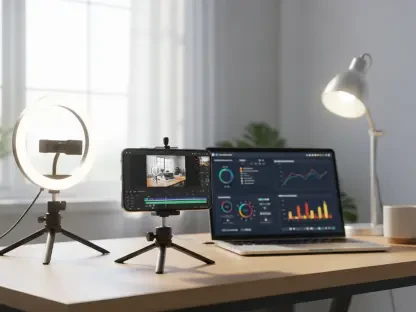

Scrolling through a social media feed today reveals a profound and undeniable transformation in how we consume digital stories, where the vertical frame has become the dominant canvas for modern expression. This shift has created an urgent demand for editing tools specifically designed to master this format, turning what was once a niche requirement into a fundamental skill for creators, marketers, and brands alike. The digital landscape is now a vertical world, and navigating it successfully requires the right software to craft compelling, thumb-stopping content that feels native to the platforms where audiences live.
Why This Review Matters
This review serves as a crucial guide for content creators attempting to navigate the crowded and often confusing market of vertical video editors. Its objective is to cut through the noise, providing a clear and comprehensive analysis to help determine which tool offers the best value for a specific social media strategy, skill level, and budget. In an environment dominated by mobile-first platforms like TikTok, Instagram Reels, and YouTube Shorts, the need for specialized software that streamlines the creation of 9:16 content is no longer a luxury but a necessity for anyone serious about digital engagement.
The challenge lies in the sheer number of options available, each promising to be the ultimate solution. However, the “best” editor is not a universal title; it is a subjective assessment based on individual workflow, creative ambition, and technical proficiency. This analysis addresses that fundamental reality by comparing leading contenders on a level playing field, empowering creators to make an informed decision that aligns perfectly with their production goals and prevents them from investing time and money into a tool that is a poor fit for their needs.
An Overview of the Leading Editors
The seven editors at the center of this review—Kapwing, iMovie, Picsart, Microsoft Clipchamp, Viva Cut, Spark Camera, and InShot—represent a cross-section of the market, each with distinct functions and unique selling points. Kapwing positions itself as a powerful, browser-based workhorse with advanced AI capabilities, while iMovie remains the gold standard for seamless editing within the Apple ecosystem. In contrast, tools like InShot and Viva Cut are mobile-first powerhouses, designed for creators who shoot, edit, and publish entirely from their smartphones. Rounding out the selection, Picsart offers a hybrid photo and video solution, Microsoft Clipchamp caters to Windows users, and Spark Camera provides a minimalist experience for quick, simple edits.
Across these diverse applications, several industry trends are clearly visible. The universal adoption of the 9:16 aspect ratio as a primary or default setting underscores the industry’s complete pivot toward vertical content. Furthermore, the “freemium” pricing model has become nearly ubiquitous, with most editors offering a functional free tier—often with limitations like watermarks or reduced export quality—to entice users before upselling them to a more feature-rich paid subscription. This model lowers the barrier to entry, allowing creators to experiment before committing financially.
This evolution is also being driven by significant technological advancements. The integration of artificial intelligence is no longer a novelty but a core feature, with tools like automated subtitle generation and smart reframing becoming key differentiators that dramatically accelerate the post-production process. This trend is coupled with an undeniable shift toward more powerful mobile-first editing solutions. Modern smartphones now possess the processing power to handle complex edits, and developers have responded with apps that offer desktop-level capabilities, such as multi-layer editing and 4K exports, directly in the palm of your hand.
A Comparative Performance Analysis
When evaluated on real-world performance, the editors reveal distinct personalities tailored to different workflows. In terms of user-friendliness and interface design, iMovie stands out for its intuitive, beginner-friendly layout, which guides users through the creative process with features like pre-made Storyboards. In contrast, online editors like Kapwing and Microsoft Clipchamp prioritize efficiency with clean, accessible browser-based interfaces that eliminate the need for software installation. Mobile apps such as InShot and Viva Cut manage to pack a dense feature set into a touch-friendly design, though they may present a steeper learning curve for those unaccustomed to advanced mobile editing.
The divergence in core and advanced editing capabilities is where the most significant distinctions emerge. Editors like Spark Camera and Picsart cover the basics effectively, offering essential tools for trimming, splitting, and adding music, which is sufficient for simple projects. However, for more ambitious productions, Kapwing, Viva Cut, and InShot offer a far more robust suite of features. Kapwing’s AI-powered subtitles and smart cropping tools are a game-changer for professional creators focused on speed and accessibility. Similarly, Viva Cut’s support for unlimited video layers and 4K export empowers mobile creators to produce complex, high-fidelity compositions that were once the exclusive domain of desktop software.
Cross-platform compatibility and pricing models further define each editor’s value proposition. Kapwing’s browser-based nature grants it unparalleled accessibility, functioning seamlessly across Windows, macOS, and ChromeOS, making it ideal for collaborative teams or individuals who switch between devices. This stands in sharp contrast to iMovie, which offers flawless integration but is strictly confined to the Apple ecosystem. Microsoft Clipchamp mirrors this by providing a convenient solution primarily for Windows users. The pricing models follow a similar pattern of trade-offs. The free tiers of InShot, Viva Cut, and Kapwing are highly functional but often come with a watermark, while their paid subscriptions unlock the full potential of the software, presenting a clear value proposition for serious creators who require professional output.
Key Advantages and Disadvantages
Each editor’s strengths make it an ideal choice for a specific type of user. iMovie’s primary advantage is its deep, seamless integration into the Apple ecosystem, allowing users to start a project on an iPhone and perfect it on a Mac without any friction. For professionals and power users, Kapwing’s collection of AI-driven tools and its fully online, collaborative platform represent a significant advantage, streamlining workflows and saving invaluable time. Meanwhile, the key strength of mobile editors like InShot and Viva Cut is their ability to deliver professional-grade editing power—from advanced color grading to multi-track audio—directly on a smartphone, catering perfectly to the modern, on-the-go creator.
Conversely, these platforms also present disadvantages that may render them unsuitable for others. The most common limitation across free versions is the inclusion of a watermark, which can detract from the professionalism of the final video. While easily removed with a subscription, this can be a deal-breaker for creators on a tight budget. Furthermore, tools designed for simplicity, such as Spark Camera, inherently lack the advanced features required for complex storytelling, limiting their utility to quick, straightforward content. Perhaps the most significant disadvantage is platform exclusivity; iMovie’s restriction to Apple devices and Microsoft Clipchamp’s focus on Windows immediately exclude a large portion of the potential user base, forcing creators to look elsewhere regardless of the software’s other merits.
Summary of Findings and Recommendations
The overarching finding of this review is that the “best” vertical video editor is not a single product but rather the one that best aligns with a creator’s unique circumstances. The market is mature enough to offer a spectrum of excellent tools, each carved out for a specific niche, from casual hobbyists to full-time social media professionals. Success depends on correctly identifying which tool’s strengths match your production needs while ensuring its limitations do not impede your creative vision.
Based on this analysis, several clear recommendations emerge. Kapwing stands as the top choice for cross-platform power users and collaborative teams who can leverage its advanced AI features and cloud-based workflow. For creators fully invested in the Apple ecosystem, iMovie remains the undisputed champion due to its simplicity, power, and seamless integration. Advanced mobile creators seeking robust, professional-grade features for on-the-go editing should look to InShot and Viva Cut, as both offer exceptional control and high-quality output. Finally, for casual Windows users in need of a straightforward and accessible tool for quick edits, Microsoft Clipchamp is the most logical and convenient option.
Final Verdict and Advice for Creators
This comprehensive evaluation revealed a vibrant and highly competitive marketplace for vertical video editors. The innovation in this space, particularly around AI-powered features and the expansion of mobile capabilities, has democratized high-quality video production, putting powerful tools into the hands of creators at every skill level. The final verdict was that the ideal choice hinged on a careful calculation of platform compatibility, feature requirements, and budget, with no single editor definitively outperforming all others across every metric.
Ultimately, creators were advised to approach their decision methodically. The first and most critical consideration was the primary operating system, as an editor that integrates smoothly with existing hardware and software provides the most frictionless workflow. Next, an honest assessment of technical skill and content complexity was necessary; a beginner creating simple stories had very different needs than an advanced user producing multi-layered narratives. Finally, budget played a decisive role, with creators needing to weigh the limitations of free versions against the investment required for a professional subscription.
The editors reviewed here represented a significant portion of the market, but the analysis also acknowledged the existence of other popular alternatives. Tools like Adobe Premiere Rush were noted for their excellent cross-device syncing within the broader Adobe Creative Cloud ecosystem, appealing to users already familiar with Adobe products. Meanwhile, CapCut had established a massive user base by offering a rich set of trend-focused features completely for free, making it a go-to choice for TikTok creators. Considering these alternatives provided a final, crucial layer of context, ensuring creators could make a truly informed choice.